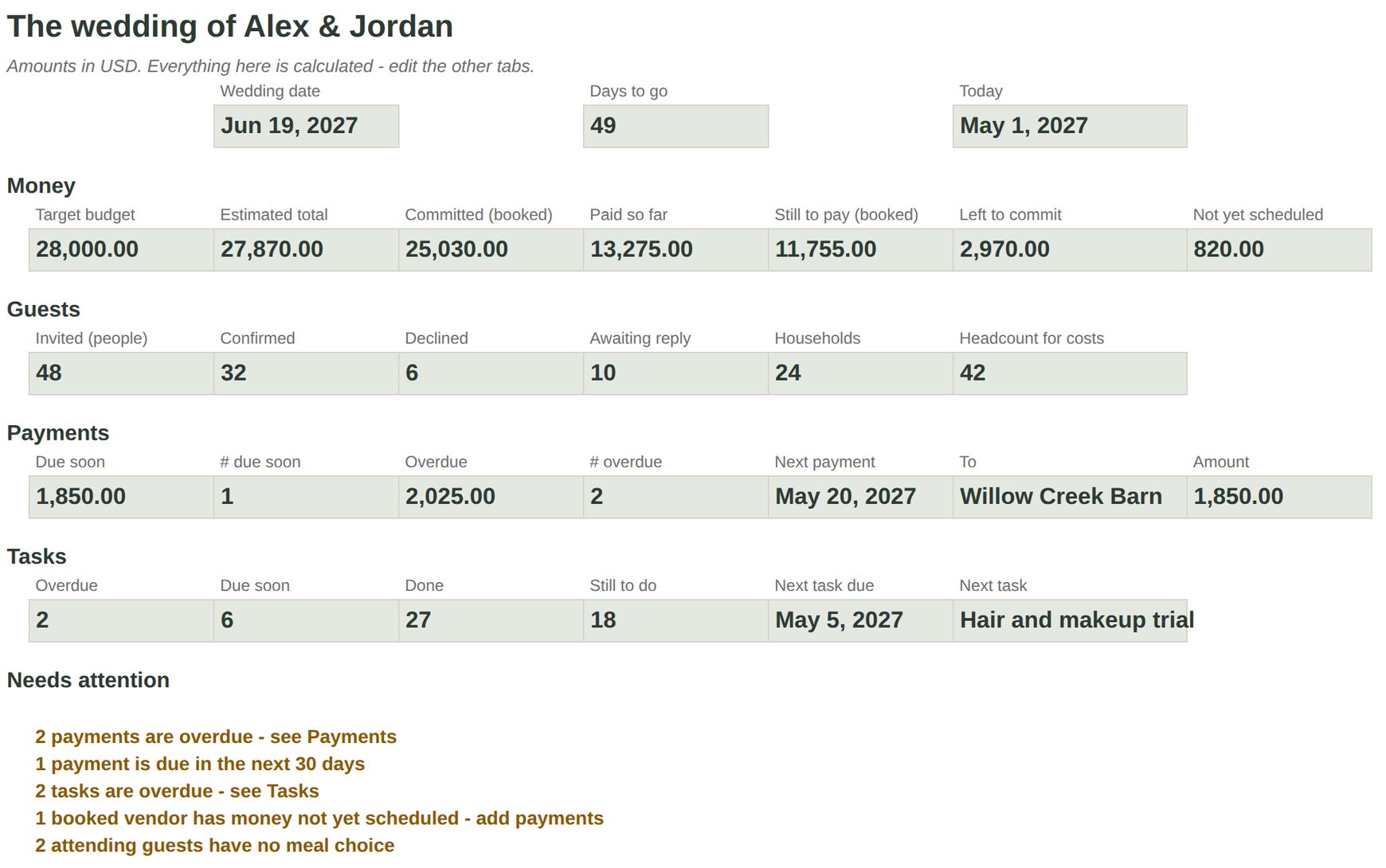
Wedding Planning OS: the wedding budget and payment spreadsheet
Know what is booked, what is paid and what is due next. Your budget, payments, vendors, guests and tasks in one connected workbook, with every dollar as Planned, Signed, Paid and Still Owed.
$34 USD, one time
- Ten tabs, including Payments, Vendors, Budget, Who's Paying, Guests, Tasks and Wedding Day
- Blank copy plus a filled example, for Google Sheets and Excel
- Setup guide (PDF)
- One-time purchase, instant download
For couples planning without a planner who want one place for the money side of the wedding.
Checkout is on Payhip; card payments are processed by Stripe. You get a download link on screen and by email right after you pay. Any sales tax is shown at checkout.
Everything in the download.
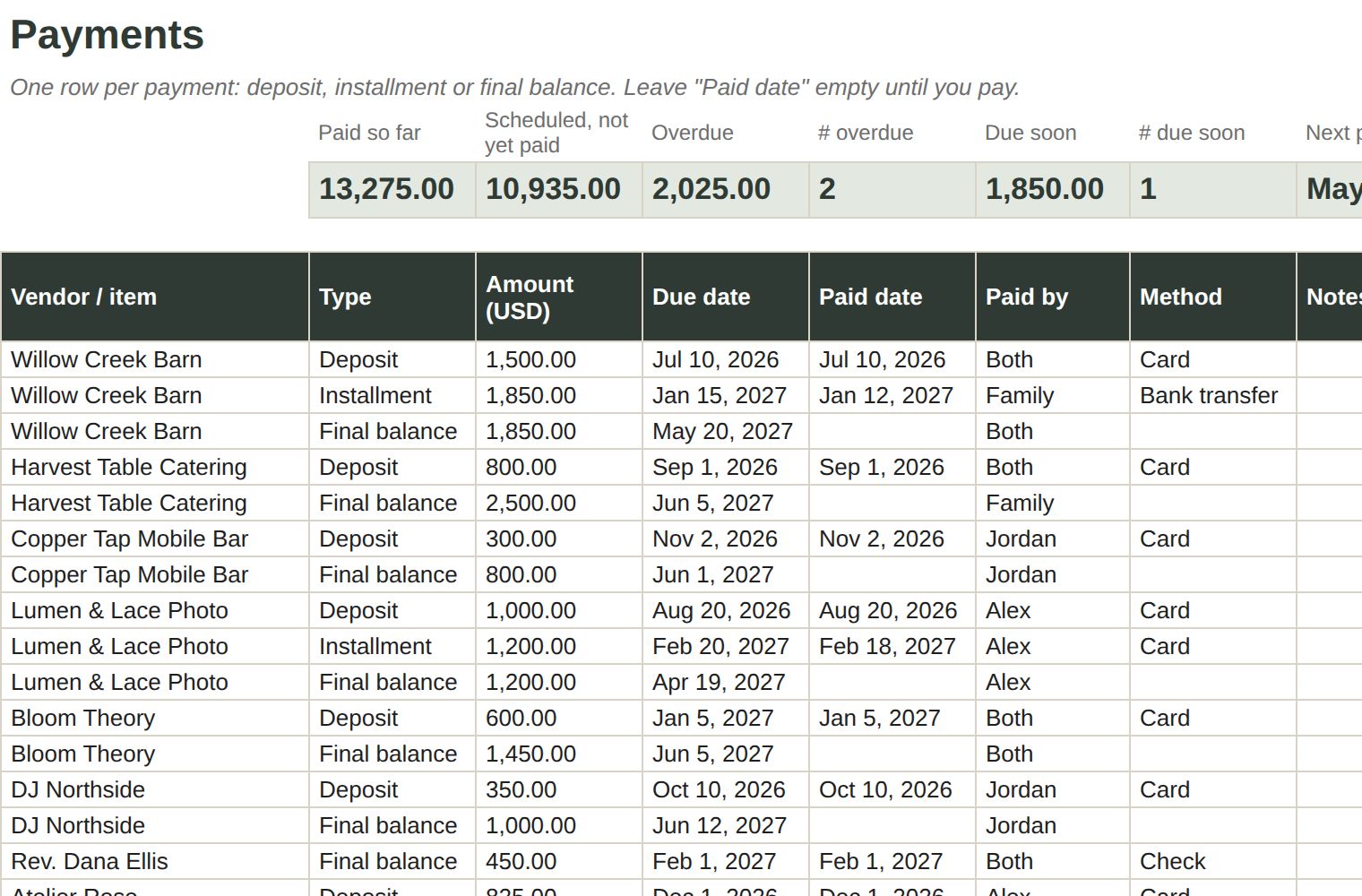
Payments
One row per deposit, installment or final balance, with its due date and who pays it. Each one is marked paid, upcoming, due soon or overdue.
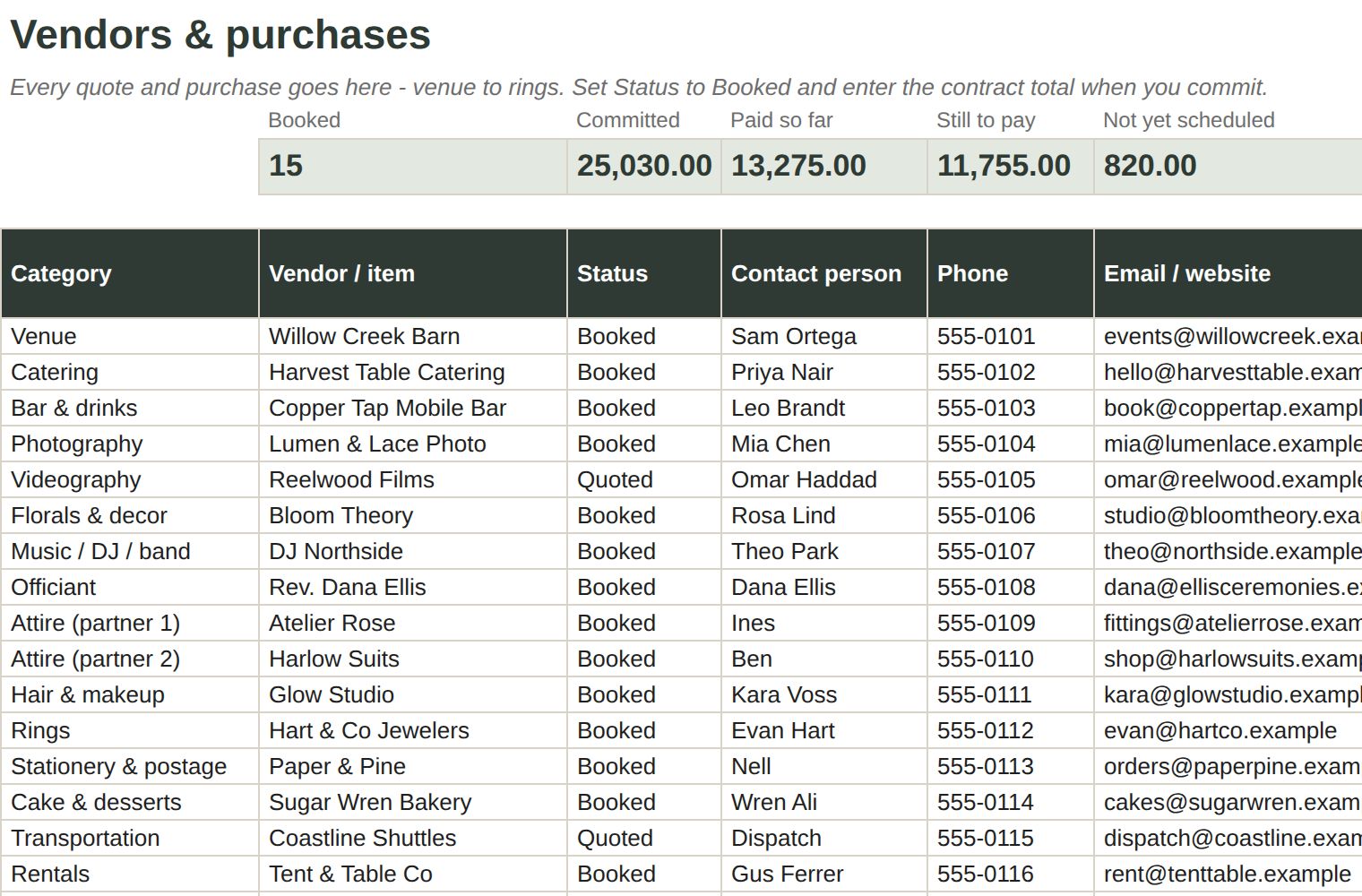
Vendors
Contract total, paid so far and still to pay for every vendor, side by side.
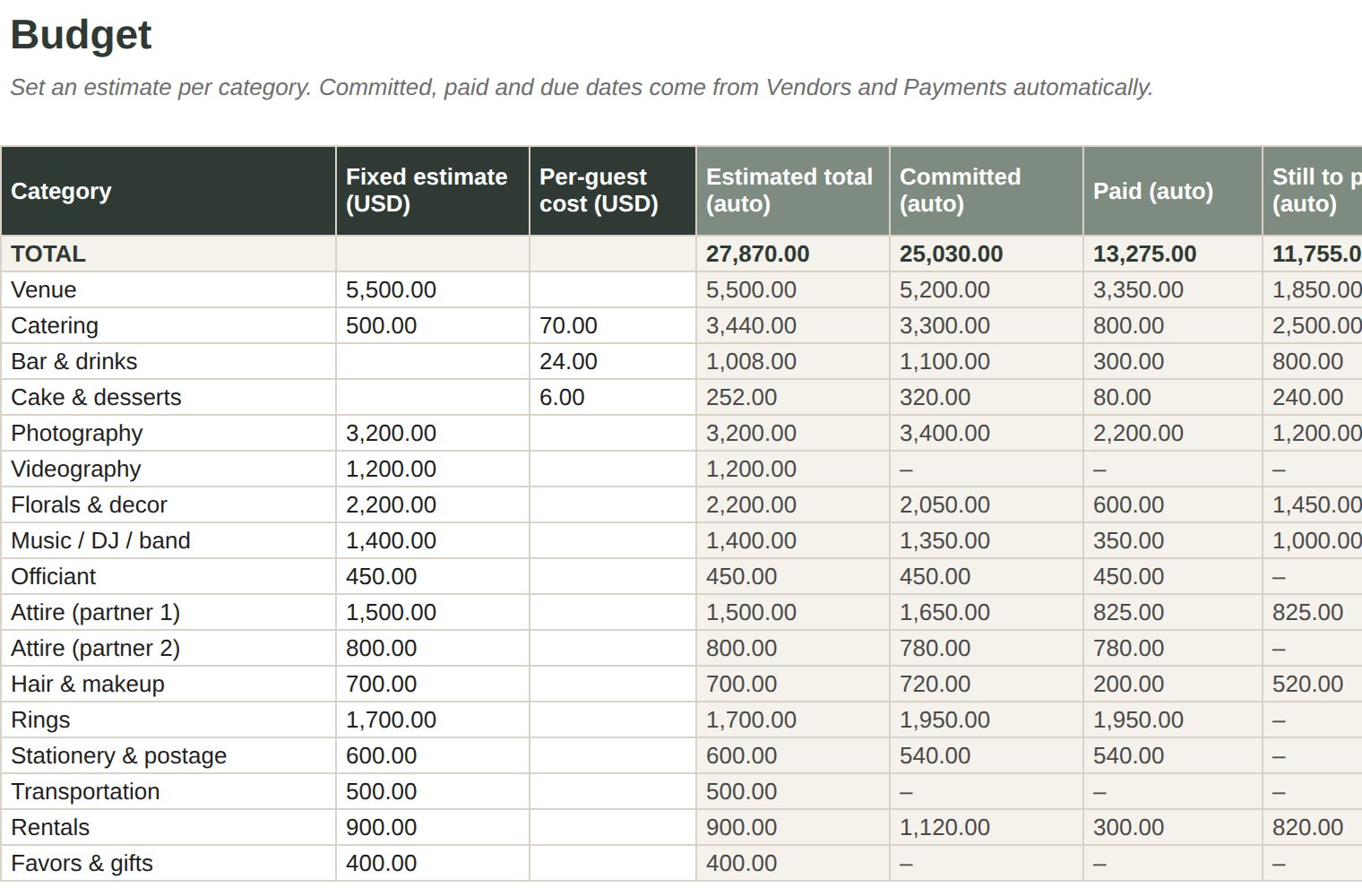
Budget
22 starting categories, including tax and service charges, tips and a contingency line, plus 8 spare rows. Each shows estimated, committed and paid.
Who's Paying
What each family member or contributor promised, what it is for and what has actually arrived.
Guests
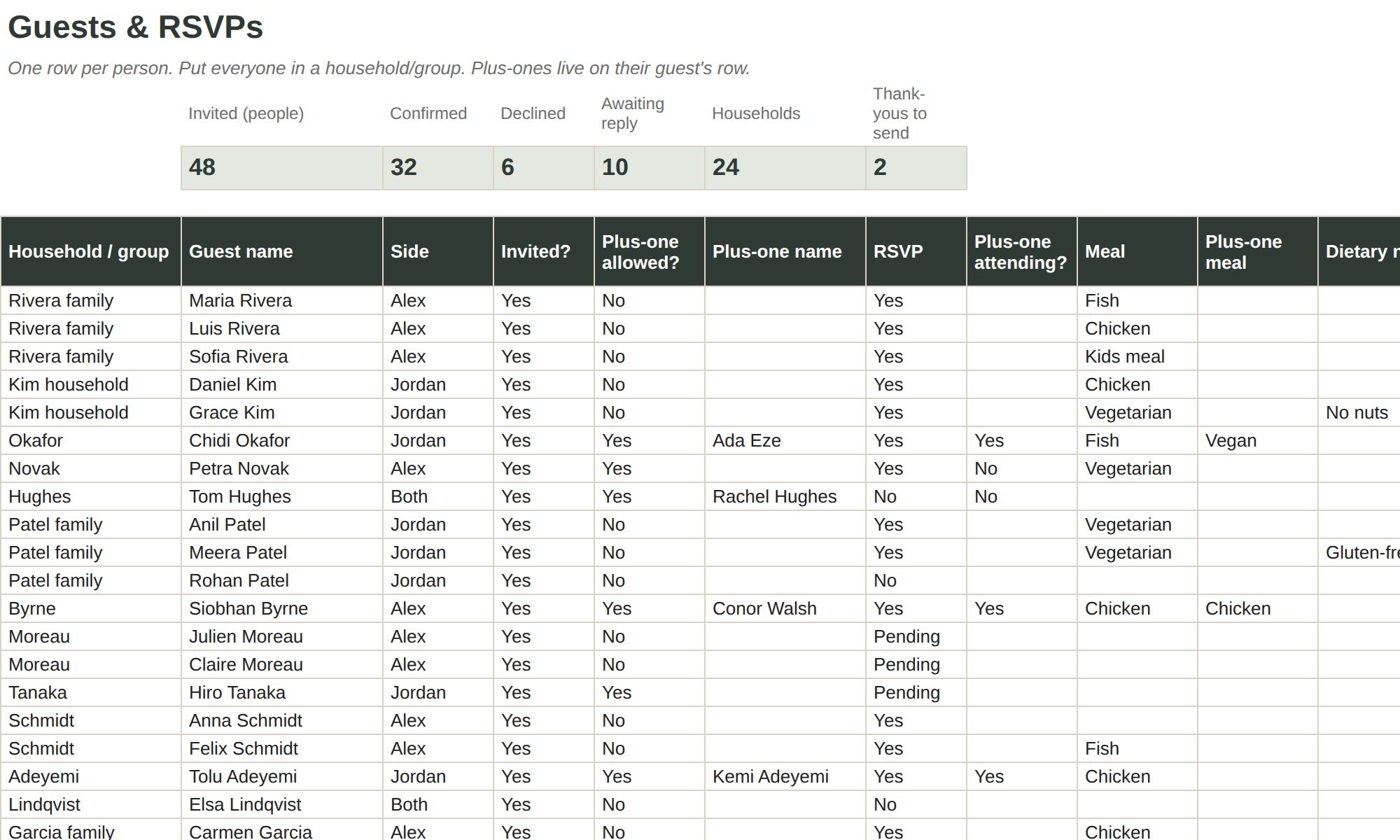
Households, plus-ones, RSVPs and meal choices for up to 300 guests.
Tasks and the day
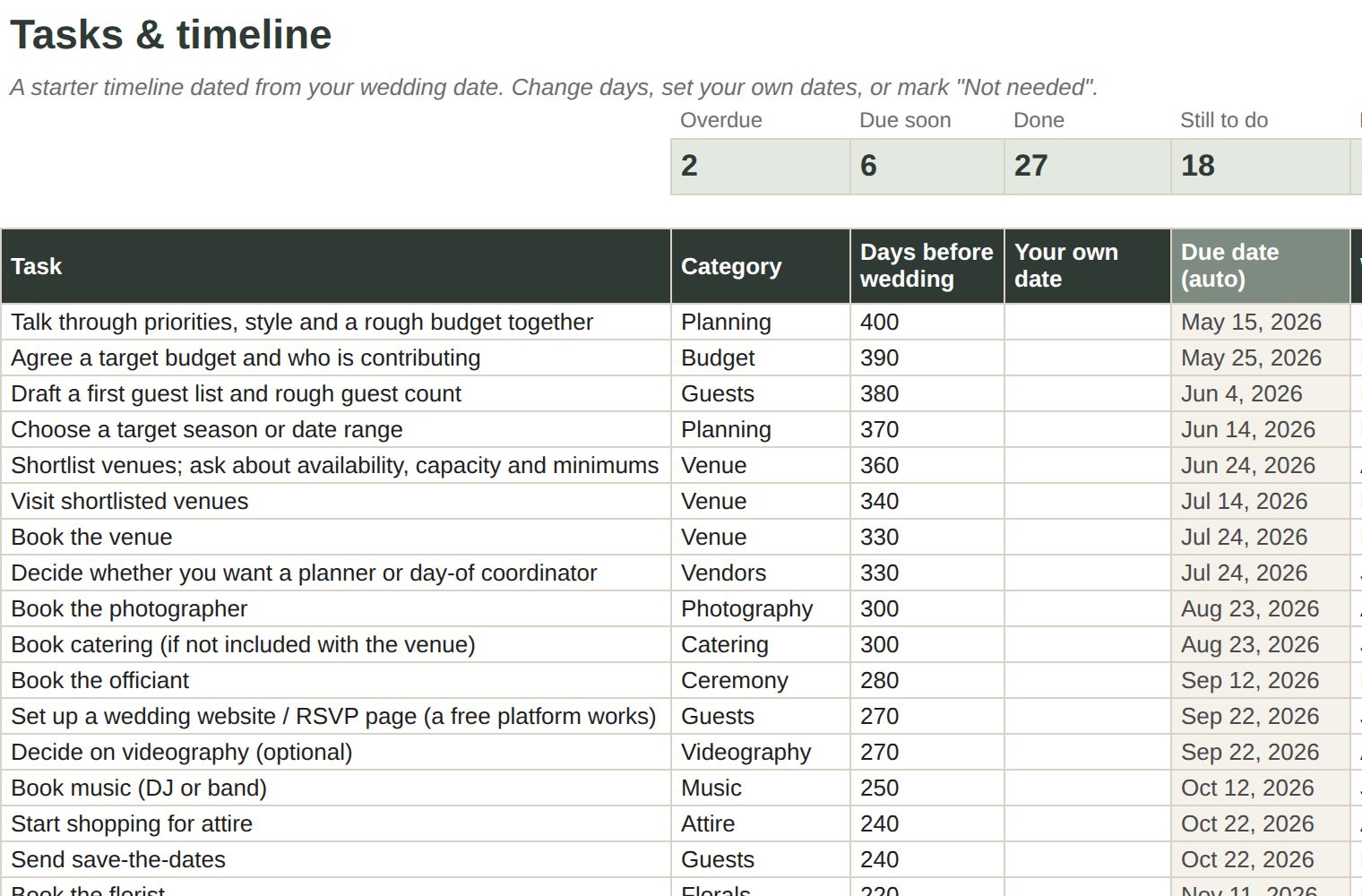
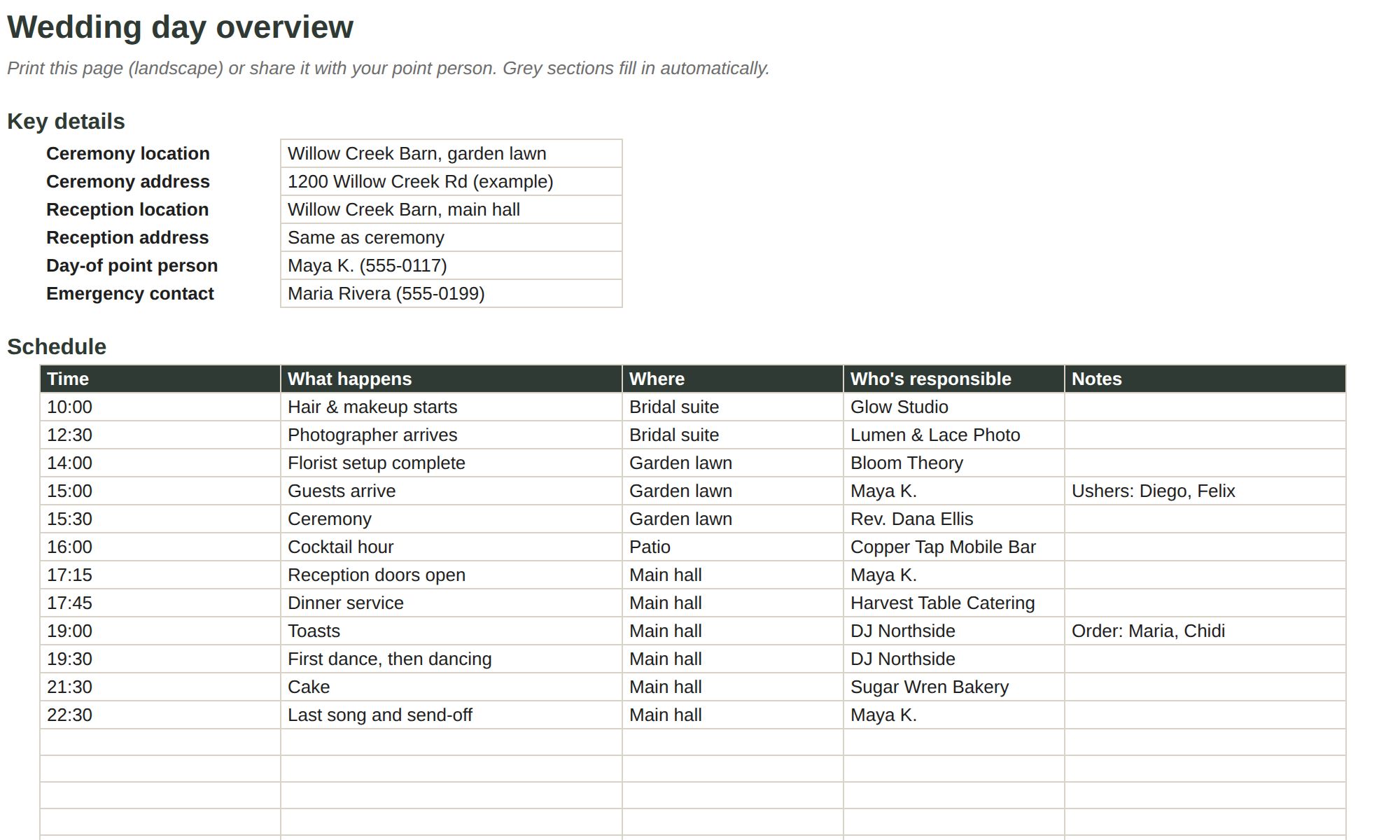
A starter list of 48 tasks dated from your wedding day, and a Wedding Day tab for the schedule and final-week payments.
One ZIP: an Excel blank workbook and filled example, the same two for Google Sheets, and a short setup guide (PDF).
See what you get.
Screens show the fictional example wedding (Alex & Jordan). Your copy comes blank plus this filled example. Tap any picture to open it full size.
Good to know.
- You enter and keep the details up to date. Payment warnings show inside the workbook only: no email or phone reminders, and no bank connection.
- Guest replies are entered by hand. Nothing syncs with a wedding website.
- Made for planning on a laptop or desktop. You can view it in the Google Sheets or Excel apps on a phone.
- Your contracts decide what you owe and when. This is an educational planning tool, not legal or financial advice.
- Formula cells are not locked, so keep a backup before big changes.
- Works in Google Sheets and Excel (Microsoft 365, Excel 2019 and later, Excel for the web). Excel 2016 and Apple Numbers are not supported.
Need seating too?
The workbook plus the Seating & Tables Planner is $44.
Before you buy.
How do I get my files?
Right after you pay you get a download link on screen and by email. Nothing is shipped.
Is it a subscription?
No. You pay once.
Can I use it on my phone?
You can view the files on a phone, but the spreadsheets are made for planning on a laptop or desktop.
What if something doesn't work?
Email hello@morrowandmade.com and we'll help. If the files don't work as described in a supported app and we can't fix it, or you bought twice by mistake, you can ask for a refund within 7 days. See the refund policy.